
Label CT and MRI scans in linked 3D views.
The 3D workspace opens CT and MRI scans in the browser, with three linked views, brush, contour and threshold tools, and measurements at the scanner's spacing.
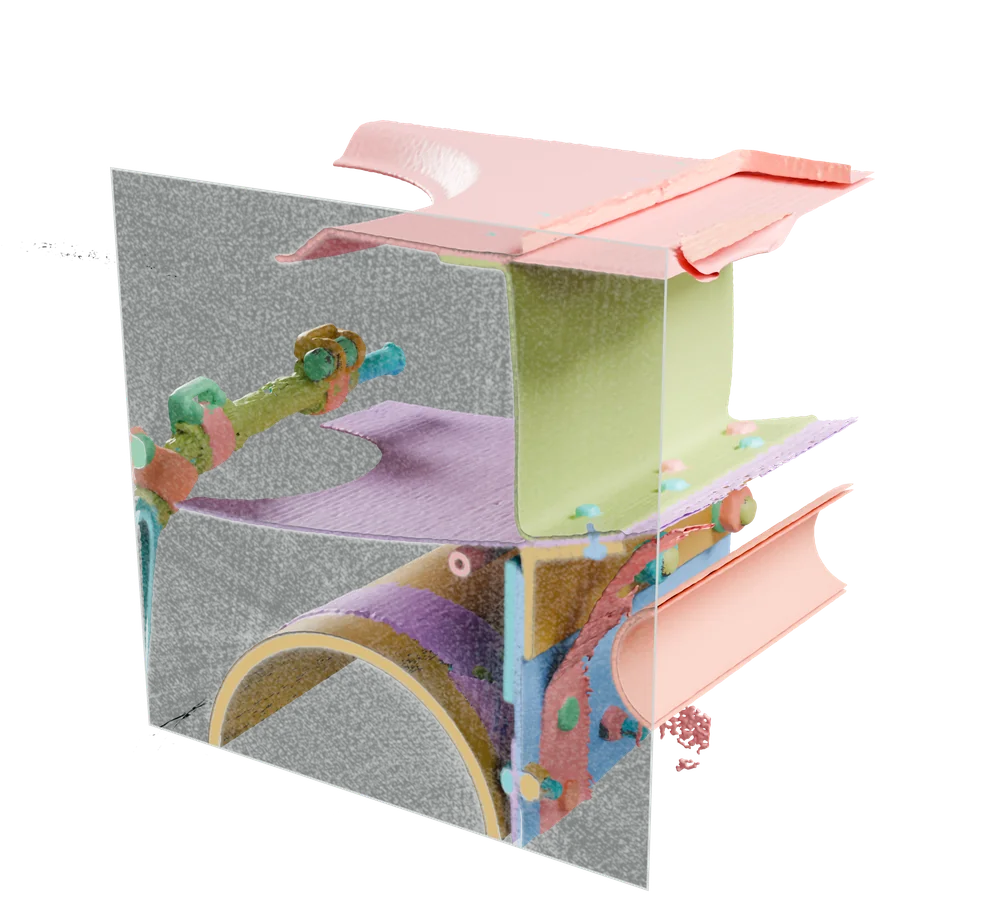
Real industrial CT, slices 300 to 363, with its published instance labels in white; the box around instance 138 is derived from its label. Gruber et al., Fraunhofer EZRT, CC BY 4.0 (opens in a new tab), modified: windowed, stacked and outlined by Nitsor. Sources
Follow the structure across linked views.
Brush, trace and refine labels across three linked views. Submitting labels saves a revision that records who submitted them and the class of each label.


Real industrial CT, Gruber et al., Fraunhofer EZRT, CC BY 4.0 (opens in a new tab), modified: windowed and rendered by Nitsor.
The scan
Inspect the scan beneath each label.
This scan has 512 axial slices, with 0.33 mm pixels and 0.6 mm spacing. The cut face shows the scan beneath the labels.
The labels
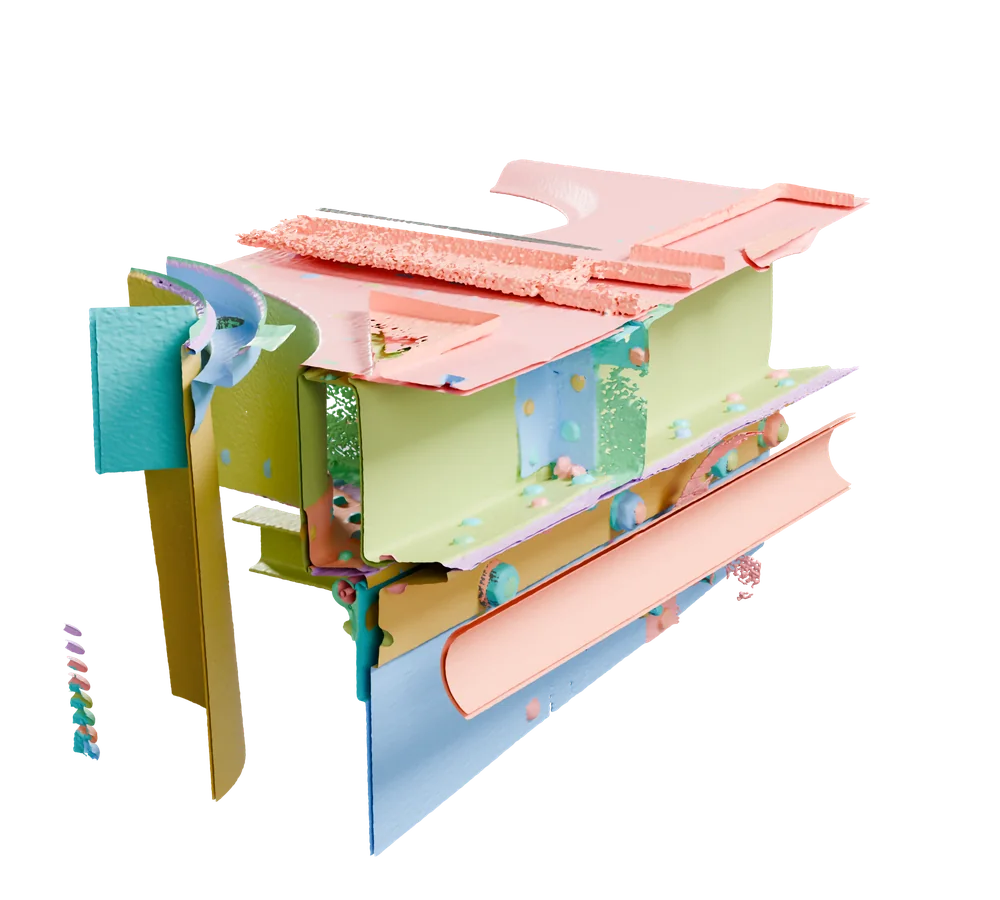
169 parts, each with its own mask.
The colours are the dataset's published instance masks. In Nitsor, a person draws a label or a model proposes one, and the record says which.
The record
A part beside its review record.
The pressure bottle is instance 138. The record shows a model proposal, a reviewer's acceptance and a saved revision.
Instance 138, pressure bottle
- Proposed
- sam-2.1, on its own branch
- Accepted
- R. Diaz, reviewer, version 4be1c09c
- Commit
- 7f3ac91e, parent 19c0a2b4
Published part and mask.
Volumetric editor
Inspect CT and MRI in linked views.
Draw in one view while two linked views follow the same point. Start on a slice as soon as it has loaded.

What each frame shows
- Scroll the axial plane and the coronal position line follows
- The linked position sits on the nodule
- Oblique turns the linked planes around it
- The coronal plane now cuts the nodule at an angle
Real chest CT: Armato et al., "Data From LIDC-IDRI", TCIA, CC BY 3.0 (opens in a new tab), modified: cropped. Label outline from the LIDC readers' published annotations.
Views fill in as slices arrive.
The slice you open is fetched first, for DICOM and VGStudio alike. The two reference views paint from the slices already loaded, marked Partial, and sharpen as the rest load. A part with no slice loaded is hatched as not loaded, never drawn as data.
Medical CT and MRI: a broken series is flagged when you register it.
Uncompressed DICOM series are checked for geometry, slice order and duplicate instances when you register them. Each problem found carries a named code.
Industrial CT: one byte range per slice.
A VGStudio .vol is read slice by slice, each slice as its own byte range, straight from your storage through a short-lived signed link.
How slices are read
Formats
Open in the viewer and editor
- DICOM Part 10 (uncompressed)CT and MRI series
- VGStudio .vgi/.volIndustrial CT volumes
Register as raw acquisition data
- MRDISMRMRD magnetic-resonance acquisition data
- TIFF projection stacksCT projections that come with a Nikon .xtekct descriptor
Other industrial CT vendor formats are recognised by name but do not open. Check your scan format
Geometry kinds
Regions, boxes and points.
The editor draws masks, 3D boxes and landmarks on the volume, each with its class. These are real scans with the labels their authors published.


What each frame shows
- Brush paints a mask on this slice
- On the next slice, Contour draws a closed outline
- Each drawing is a label in the rail
Real chest CT: Armato et al., "Data From LIDC-IDRI", TCIA, CC BY 3.0 (opens in a new tab), modified: cropped. Outlines follow the LIDC readers' published annotations.
Draw a mask with Brush or Contour.
Brush paints a mask on a slice. On the next slice, Contour draws a closed outline. Each drawing is a label in the rail.

What each frame shows
- Box 3D draws a box that spans several slices
- The box holds the nodule from slice 73 to 79
- The linked views show the box in section
- Its label in the rail spans slices 73 to 79
Real chest CT: Armato et al., "Data From LIDC-IDRI", TCIA, CC BY 3.0 (opens in a new tab), modified: cropped. The box spans the slices the LIDC readers' annotation covers.
Draw a box that spans slices.
Box 3D draws one box across several slices. The linked views show the box in section, and its label in the rail lists the slices it spans.

What each frame shows
- Open the command bar
- Typing narrows it to matching categories
- Enter selects the category
Real chest CT: Armato et al., "Data From LIDC-IDRI", TCIA, CC BY 3.0 (opens in a new tab), modified: cropped.
Choose a category from the command bar.
Open the command bar and type to narrow it to matching categories. Enter selects the category, and its tools appear in the header.

What each frame shows
- Choose a point category
- Click the nodule to place a landmark
- Drag across the nodule to measure it
- The editor shows the length
Real chest CT: Armato et al., "Data From LIDC-IDRI", TCIA, CC BY 3.0 (opens in a new tab), modified: cropped.
Place a landmark, then measure across it.
Choose a point category and click the nodule to place a landmark. Drag across the nodule to measure it, and the editor shows the length.

The Nitsor editor showing published labels on a Fraunhofer V5 scan (Gruber et al., CC BY 4.0 (opens in a new tab), modified: loaded into a sample project). A detail of one screenshot: the label list, or on a phone the canvas where masks 139, 146 and 148 meet. The masks are the dataset's own; the box is derived from label 138. The editor is the product's own (nitsor-app 4a10817da, on main), run against its local test backend with the published labels and our recorded run loaded as sample data.
The editor, on a real scan.
Published masks loaded into the editor, each listed under its class with its size in voxels.
In the label list
- Instance 138
- published, 293,938 voxels, 1 proposed
- Instance 139
- published, 116,763 voxels
- Instance 146
- published, 108,826 voxels
- 138 box
- derived from the published label
As the label list in the screenshot shows them.
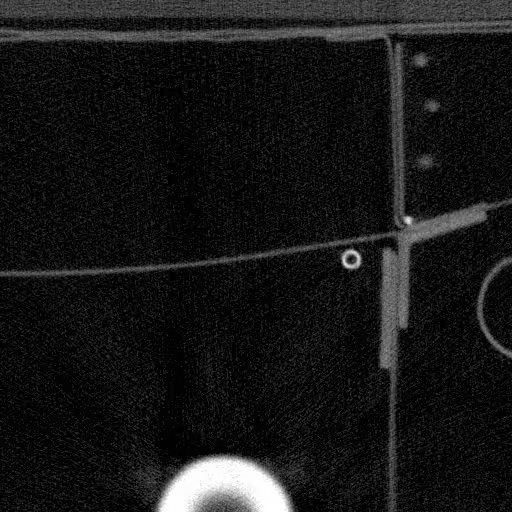

Static sample: slice 192 with published masks. Enable JavaScript to explore the slices.
Real industrial CT, Gruber et al., Fraunhofer EZRT, CC BY 4.0 (opens in a new tab), modified: windowed by Nitsor.
Measure with the scan's recorded spacing.
Nitsor keeps the voxel spacing recorded in the file, so distance measurements use the scan's physical scale.

Real prostate MRI (T2-weighted) with the collection's published manual segmentation of the prostate and its peripheral zone, drawn by Reader01. Fedorov et al., QIN-PROSTATE-Repeatability, TCIA, CC BY 4.0 (opens in a new tab), modified: windowed, cropped and outlined by Nitsor.
Give the reviewer the context.
Route work to a second reviewer. Each verdict on a label records the version of the label they judged, and finishing the review writes a commit under their name.
One label, as stored
- Label
- bracket, slices 184 to 201
- Drawn by
- A. Rivera, annotator, 14:02
- Commit
- 2c817a0d, parent 9e44b1f3
- Verdict
- accept, S. Okonkwo, reviewer
- Judged
- 5d07e2c9
Worked record example. The label, names, times, decisions and commit IDs illustrate a review; they are not the history of the published MRI label.

What each frame shows
- Each label waits for a verdict
- Accept keeps the label as drawn
- Correct redraws the label with its own tool
- Reject asks for a reason
- Finishing asks for one reason
- The queue shows the task reviewed
Real chest CT: Armato et al., "Data From LIDC-IDRI", TCIA, CC BY 3.0 (opens in a new tab), modified: cropped. Labels from the LIDC readers' published annotations.
Accept, correct or reject, with a reason.
Accept keeps a label as drawn. Correct redraws it with its own tool. Reject asks for a reason, and the queue shows the task reviewed.
Working with uncompressed single-frame DICOM ultrasound images?
Label and review uncompressed single-frame DICOM ultrasound images. Calibration stays with the image; images without spatial geometry remain individual images.
Explore ultrasound researchShow us what you inspect.
Start with a public CT or MRI scan. See how a model suggestion becomes a reviewed label and a fixed training dataset.